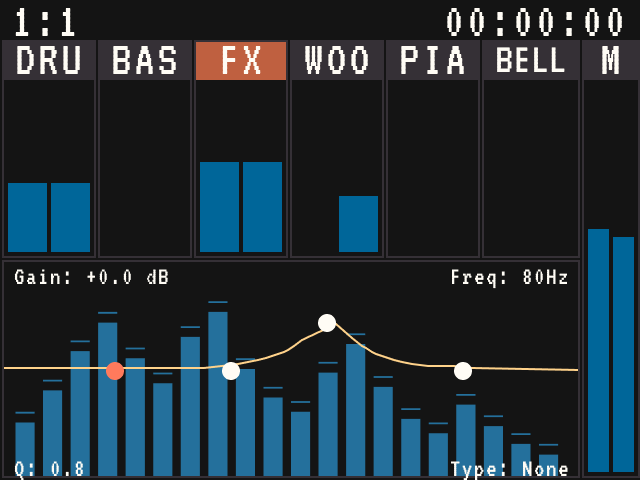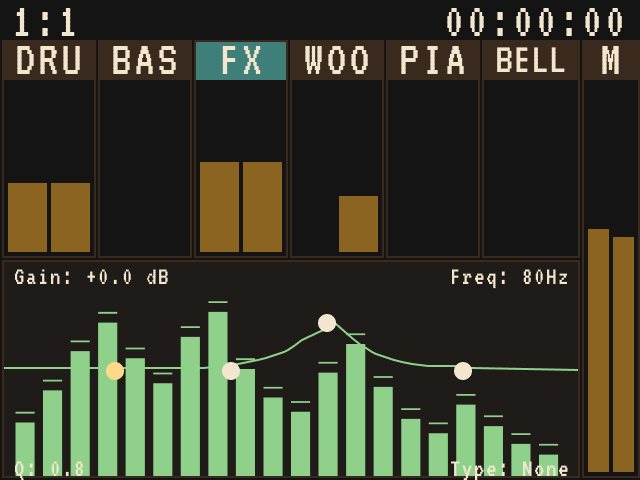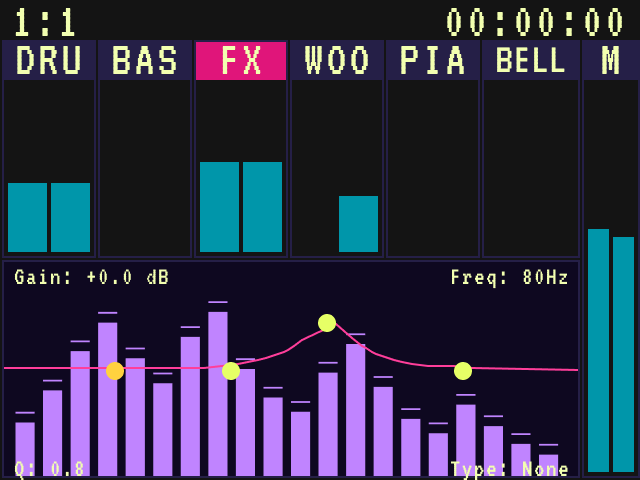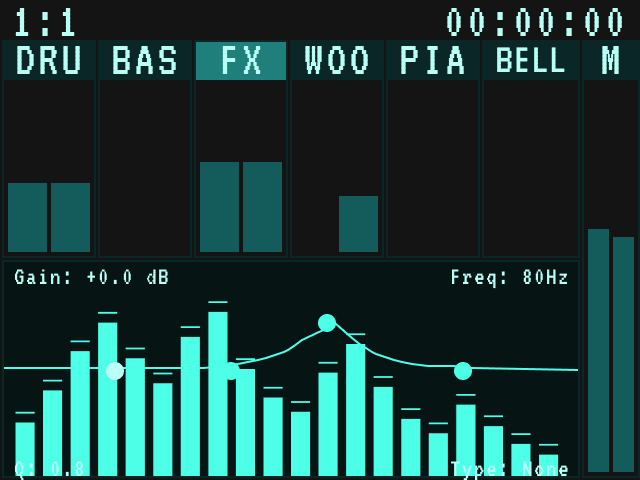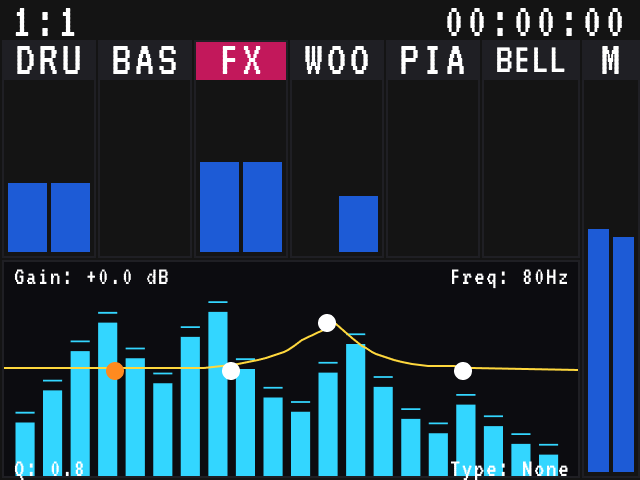
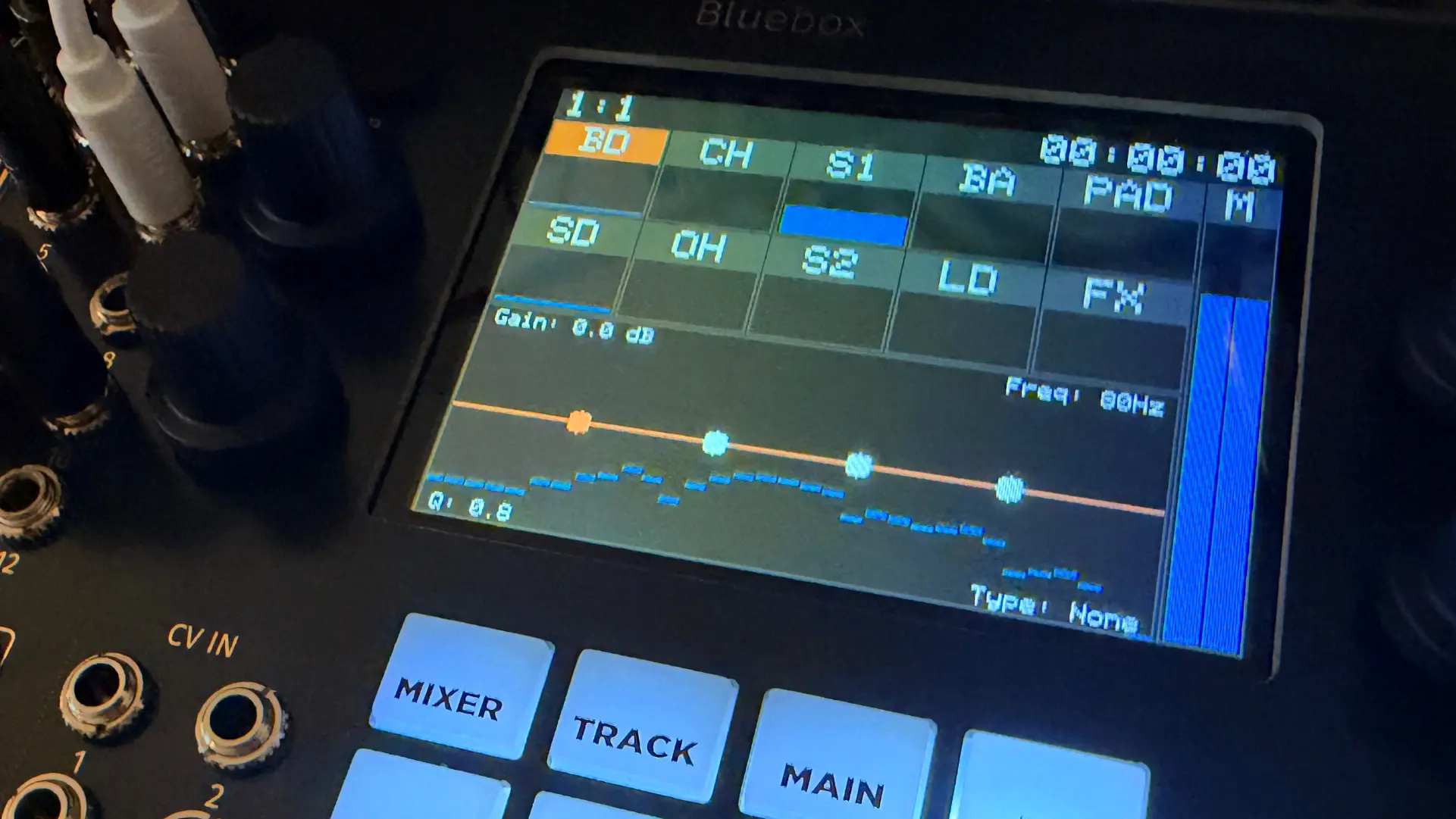
I have a troubled history with the 1010music Bluebox Eurorack Edition. I bought one in January 2024 for a smaller, more portable live rig. The desktop version had been out for more than three years with glowing reviews, so I assumed it had matured. It had not. There were quite a few bugs, like encoders not working when I patched CV into the module, and a live rig has to be rock solid. I know 1010music is a small shop, but I had spent a sizeable sum and expected it to work as advertised. I reported the issues that month and kept asking for updates. None came, and communication was thin. I got loud on their forums and even suggested it was abandonware. I am not proud of that, but watching customer issues go unfixed was frustrating. In November 2024, I sold it.
The real fixes did not arrive until a beta in July 2026 and a full release that August. Had I kept the module, it would have been a brick for two years. At Knobcon 2026, 1010music showed me that update, and I was pleasantly surprised. Back home, I borrowed a friend’s desktop Bluebox to decide whether to buy the Eurorack version again. The updates won me over quickly. Then I remembered the colors.
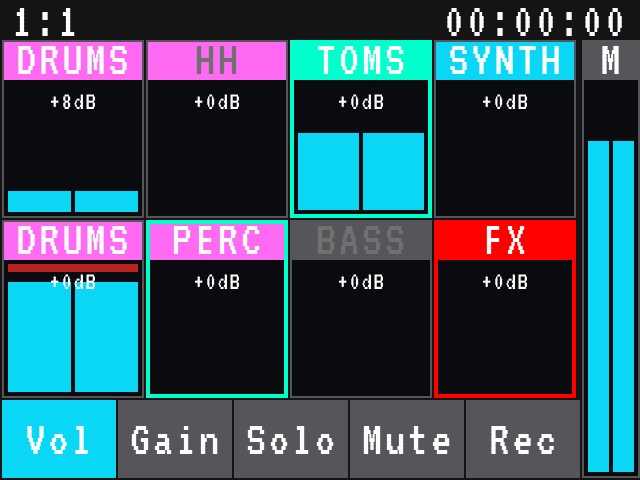
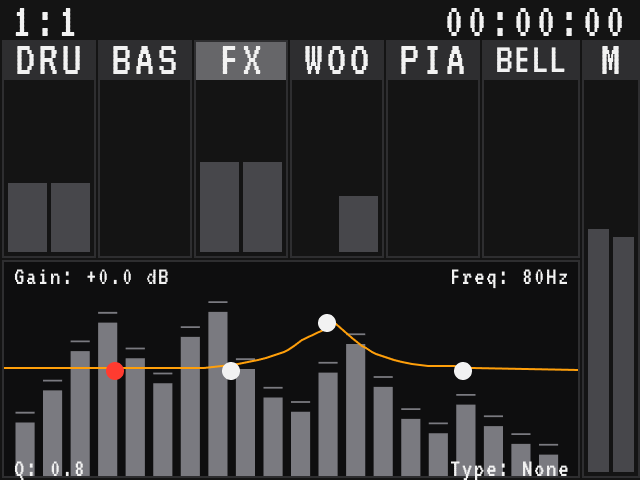
White on cyan. White on aqua. White on pink. It is a visual assault on a device I need to see in order to perform, and there is no theme, skin, or setting to change it.
Interfaces are usually designed for the widest possible audience, which leaves less typical people out. Low contrast hits low vision and color vision differences first, then anyone on a dim stage or in a bright room. I have ADHD and get overstimulated easily, so a screen that is noisy or hard to read is one I simply cannot use. Preference counts too. You should not need a disability to want a screen that feels right.
What if I could change it myself?
I checked for a setting and found none. So I posted a feature request on the 1010music Discord asking for a colors.txt file the unit could read at boot so users could define their own color schemes. It has a few thumbs up and no official response.
I was not the only one wondering. Over the summer, people found a backdoor in the M-VAVE FM-1, a cheap little FM synth, and started loading their own firmware onto it, a lot of it written with AI help. Hackaday counted about 250 community apps in roughly six weeks. In October, M-VAVE answered with FM-1 Open, an official home for alternative firmware. Closed boxes are getting opened, sometimes by the people who make them.
That got me thinking. Closed hardware only looks closed. With AI as a patient assistant, maybe I could find out how the Bluebox draws its screen and change it myself.
I had my friend’s desktop unit. If I could change the colors on it, flash the firmware, and show it caused no issues, I would buy the Eurorack version.
TLDR; Skip to Downloads for the themes.
Getting started: a proof of concept
The first goal was simple: change a color and see it on the screen.
Ghidra is a free tool that turns compiled firmware back into readable pseudo-code. You tell it which instruction set the processor speaks, and here that was ARM Thumb. The Bluebox firmware BIN is not encrypted, so I loaded it into Ghidra, and Claude helped me read the decompiled code and find the color values. I swapped a few, built a new firmware, flashed the desktop unit, and the colors changed.
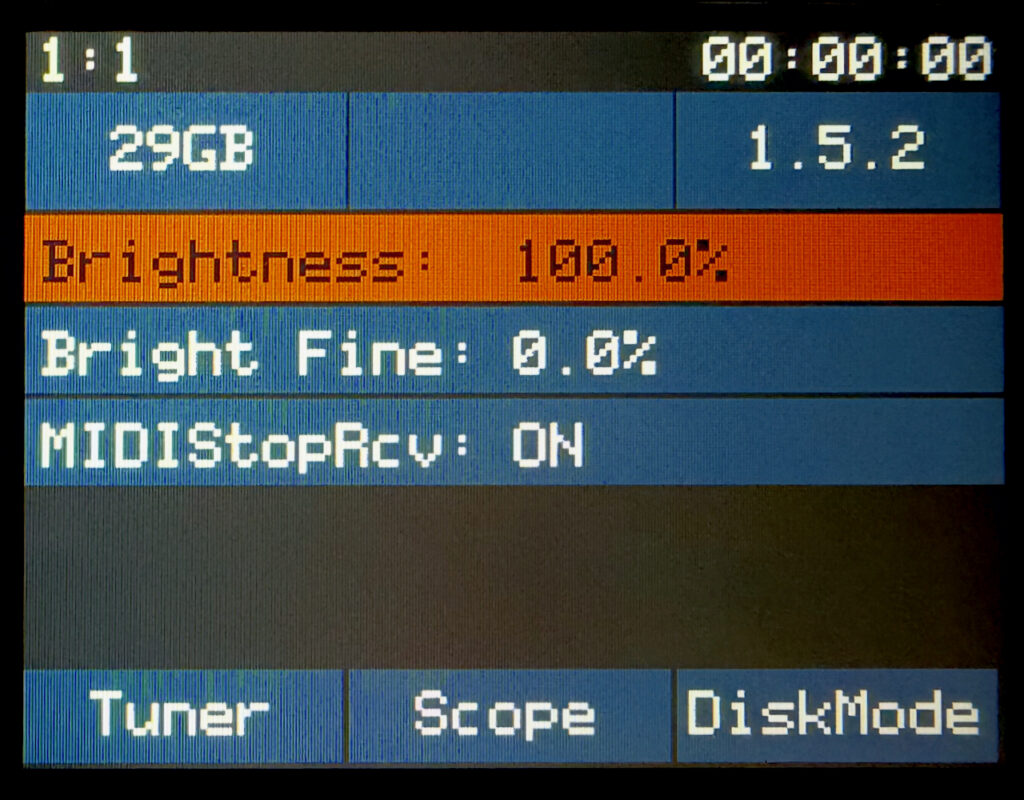
One warning from experience: I also patched values that turned out to be code, not colors, and the unit got stuck in a reboot loop. Keep the stock firmware so you can always flash back.
Proof enough to buy the Euro
That proof was all I needed. I ordered the Eurorack module and kept working on the desktop unit while it shipped. When it arrived, the Eurorack firmware turned out to share the same palette and drawing code. Only the offsets and one status bar label differ. The first flash worked great and seemed stable.
Going deeper: finding every color
Photos were not going to cut it
A proof of concept is not a theme. I needed every color, and I needed to know how, where, and when each one is used. My first attempts were photos: flash a build, photograph the screen, compare, repeat. It was slow, and it was not getting me there.
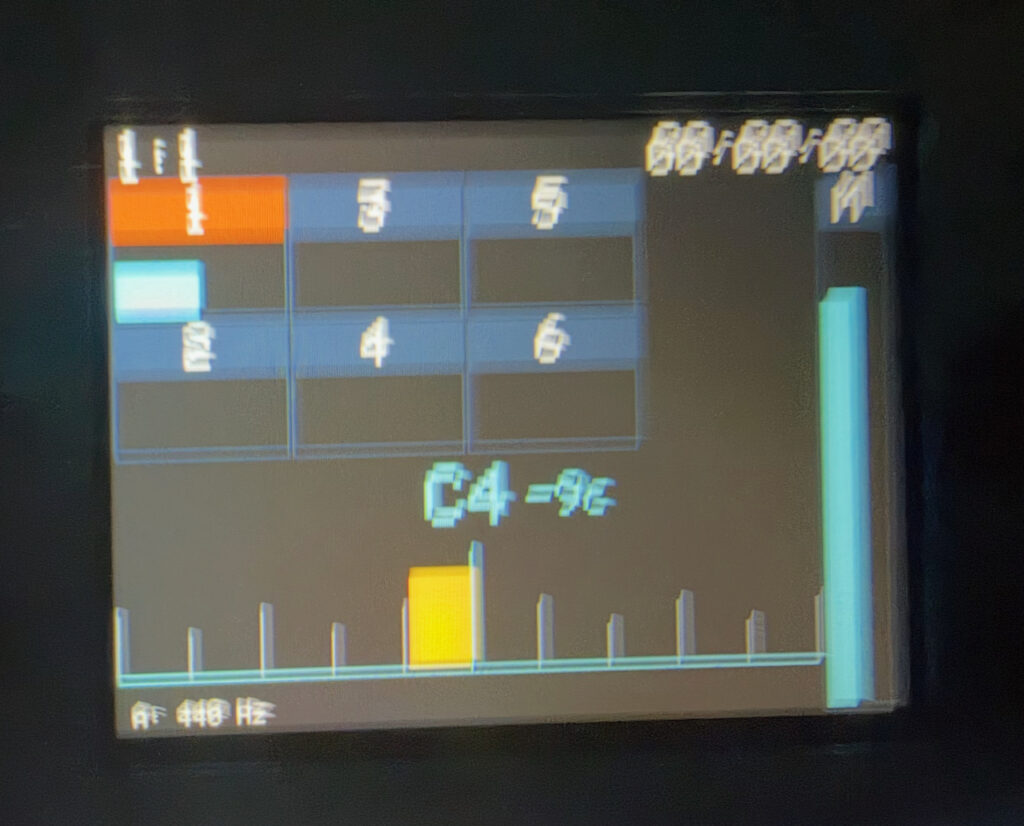
Getting every color out of the firmware
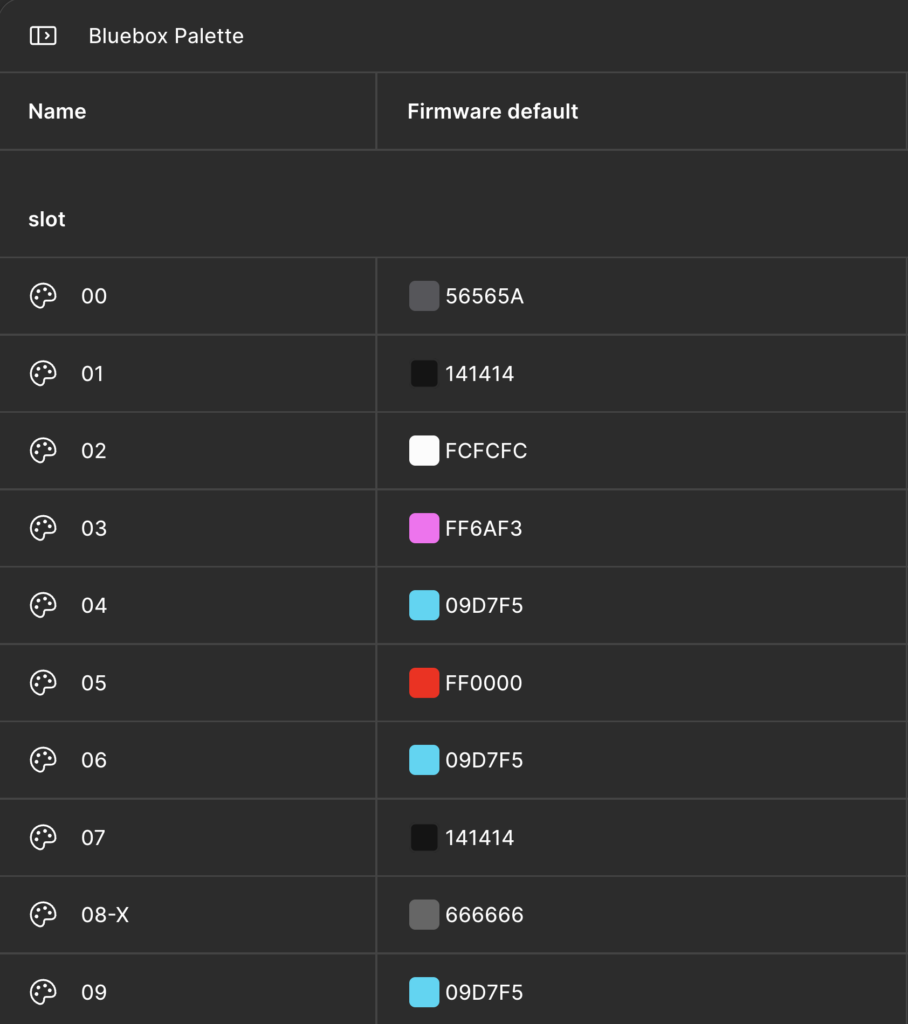
So I went back to the firmware. The colors live in two tables of 32-bit values, 34 slots in all, with no labels. Deeper passes in Ghidra showed that several slots are never used and that the main screen background is hard-coded, not a slot at all.
Measuring the defaults
With the real values in hand, I could measure the default contrast. The WCAG target for normal text is 4.5:1.
| Pair | Background | Contrast |
|---|---|---|
| White on cyan | #09d7f5 | 1.7:1 |
| White on aqua | #00ffcc | 1.3:1 |
| White on pink | #ff6af3 | 2.4:1 |
All three miss by a lot. The thing worth knowing: lightness drives contrast far more than hue does. Pick a different hue at the same lightness and the ratio barely moves. Darken the background and it jumps.
Building a Figma file with Claude
With the colors out of the firmware, I realized what I needed most was a Figma file with mockups of every screen, element, and state. Without it, every change meant flashing blind.
Exact firmware colors as variables
Each slot became a Figma variable holding the exact firmware value, so every mockup used the real colors. Claude kept the Figma file and the firmware in sync. I used a stronger model for the careful code work and a lighter one for the repetitive Figma work.
Piecing the screens together
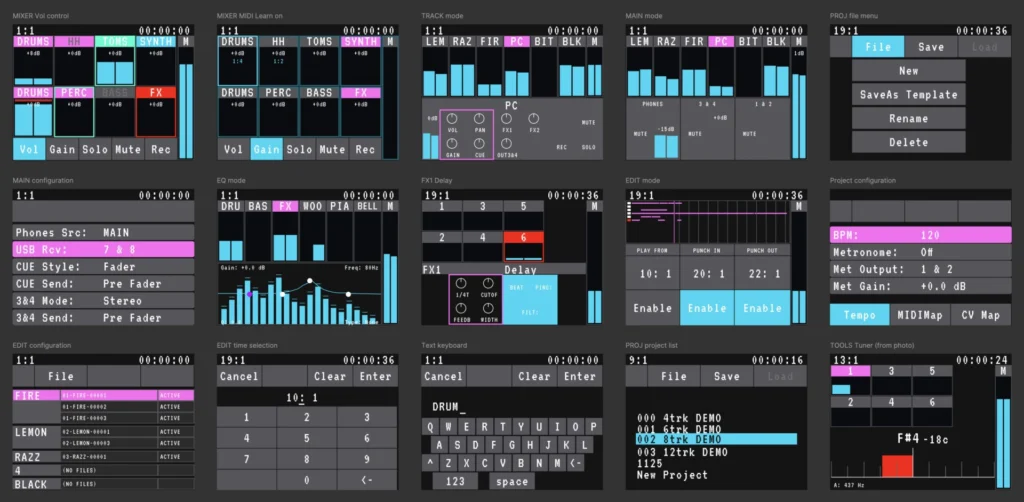
I cobbled the screens together at 320×240 from deeper Ghidra scans of the drawing functions, the screenshots in the PDF manual, and direct photos of the unit. It is not a one-to-one copy of the interface. It only needs to be good enough to show how the colors relate. For type in the mockups, I used Atkinson Hyperlegible Mono.
Test builds to pin down every slot
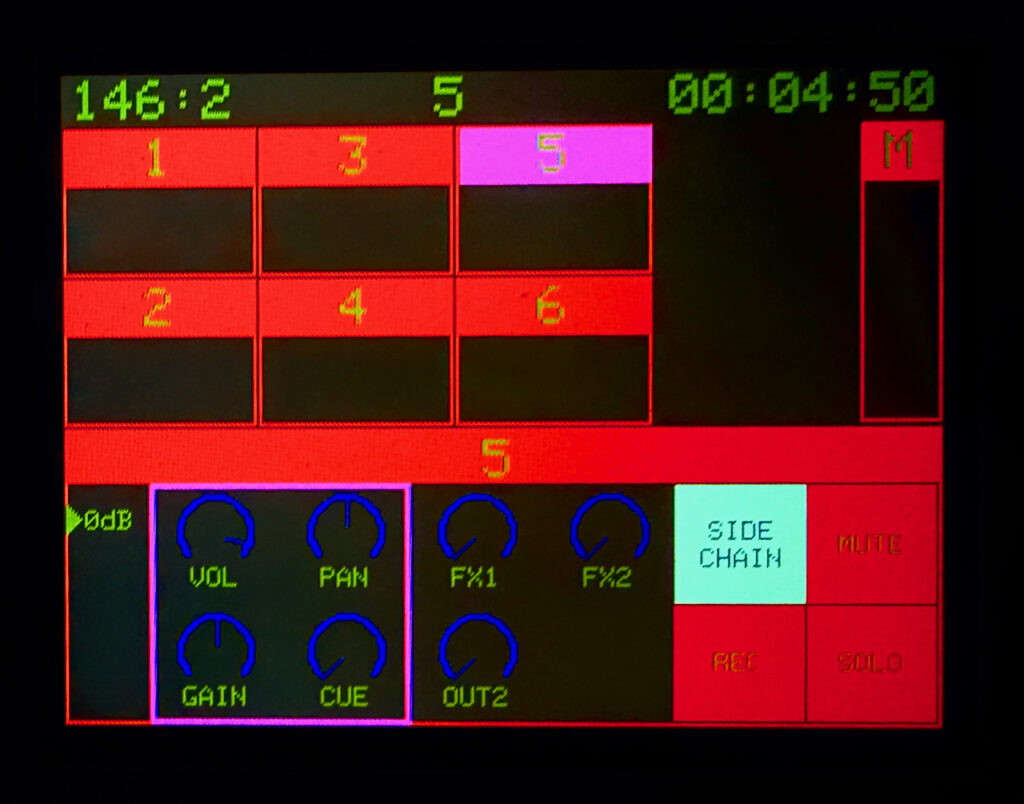
Then came the slow part. I went element by element, marking off the slots I thought were right and the ones I knew were right. For anything left over, I flashed test builds that set every unassigned slot to a harsh color, so whatever it controlled would be impossible to miss.
Claude was good at reading decompiled code and building the tool that patched new colors into the firmware, but it needed checking on its slot guesses. I had to push it to verify from the code instead of from the pattern it expected.
Finalizing the screens
Each round tightened the mockups, and the last few outlier slots got sorted out on the Eurorack module. By the time the mockups matched the hardware, I had a file I could design themes in.
Creating themes
Palettes built for contrast
I started with the look I wanted and aimed for colors that pass contrast tests. Because each slot is a variable, each theme is just a Figma mode. Swap the mode and every screen changes at once.
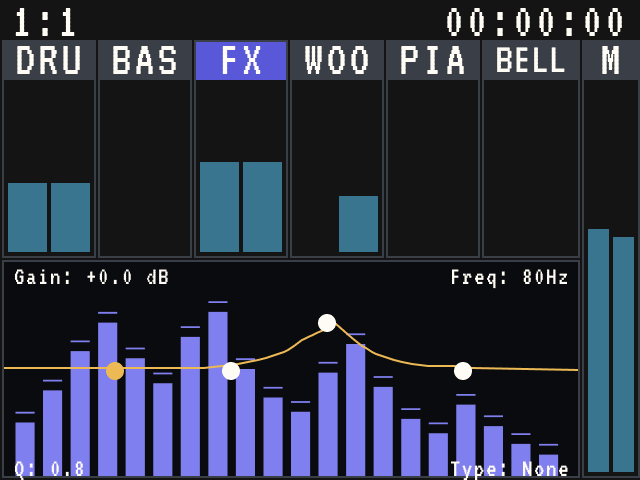
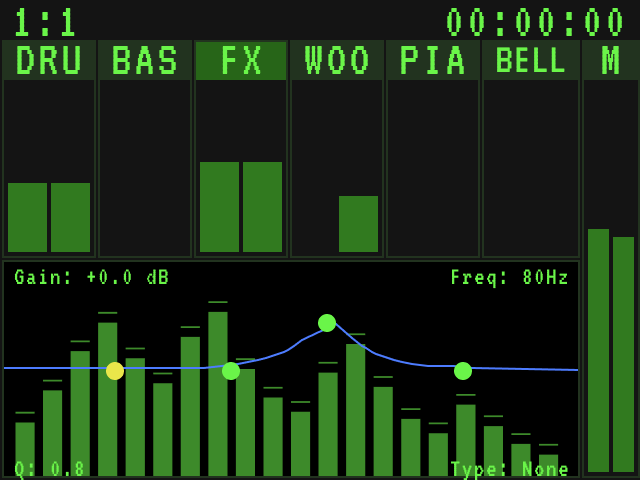
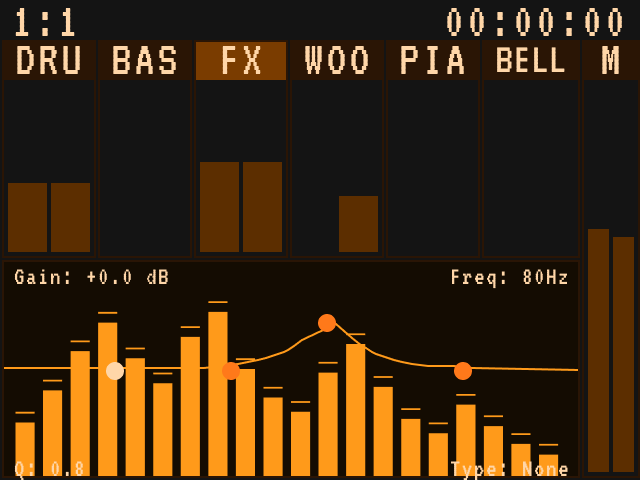
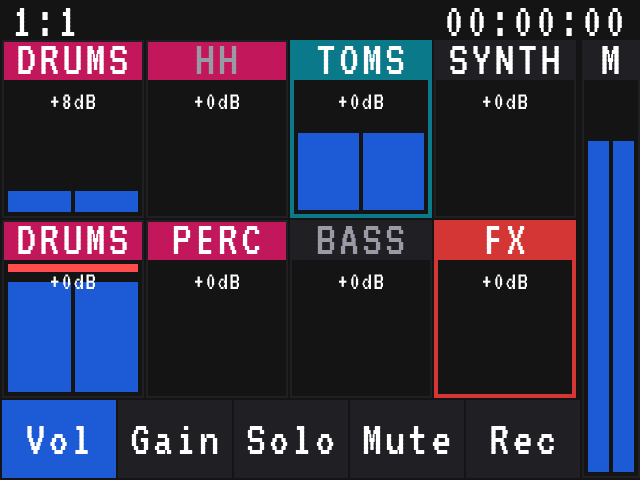
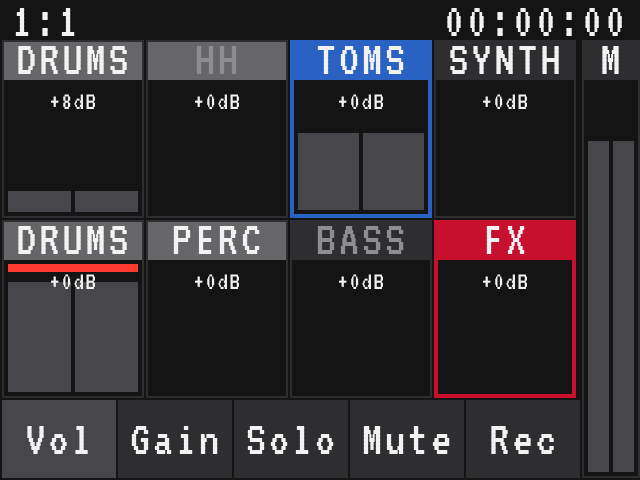
Here are some examples, before and after:
| Text | State | Firmware default | Dysonant Edition | Bubbles | Synthwave |
|---|---|---|---|---|---|
| DRUMS | SELECTED | 2.3:1 | 4.1:1 | 5.4:1 | 5.1:1 |
| TOMS | SOLO | 1.2:1 | 2:1 | 5:1 | 5.8:1 |
| SYNTH | CUE ON | 1.7:1 | 6.1:1 | 5:1 | 4.9:1 |
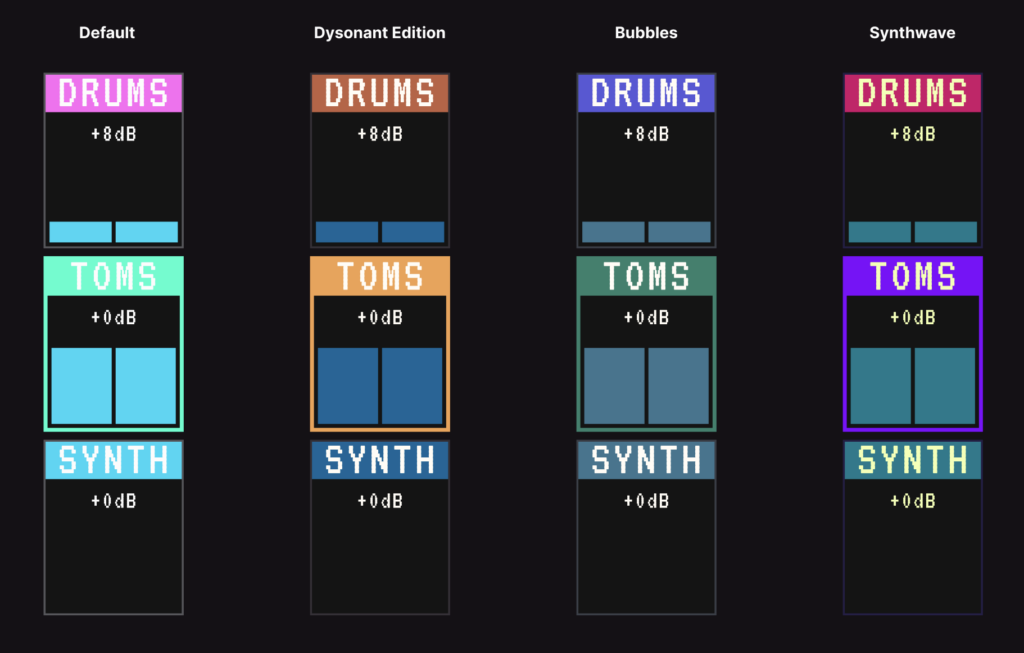
One catch: the firmware uses the same text-color slot across button states; only the background changes. Most interfaces assign text colors per state, but here one color must work across every background. That forced some lower-contrast tradeoffs. I aimed for 3:1, but it was nearly impossible.
Nine themes
I ended up with nine: Dysonant Edition, Bubbles, Homebrew, Amber Terminal, Vintage Panel, Synthwave, Visor Backlight, Jewel Box, and Carbon.
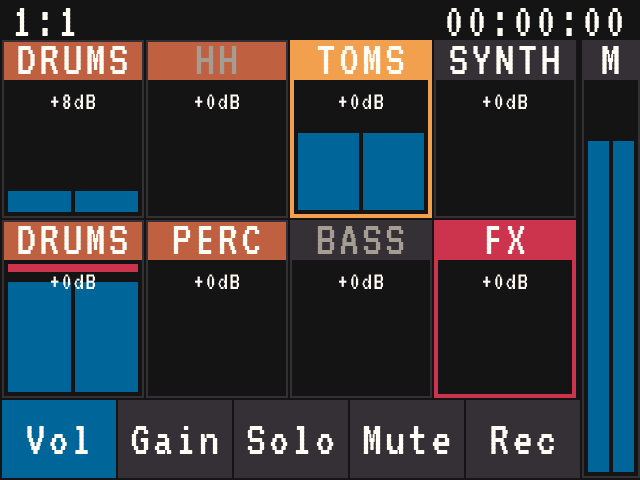
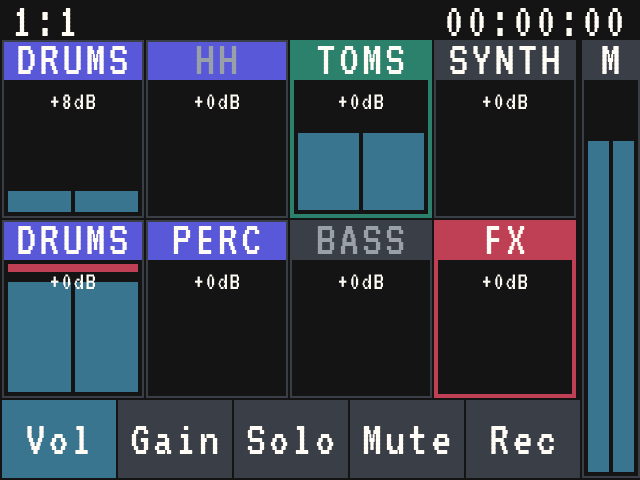
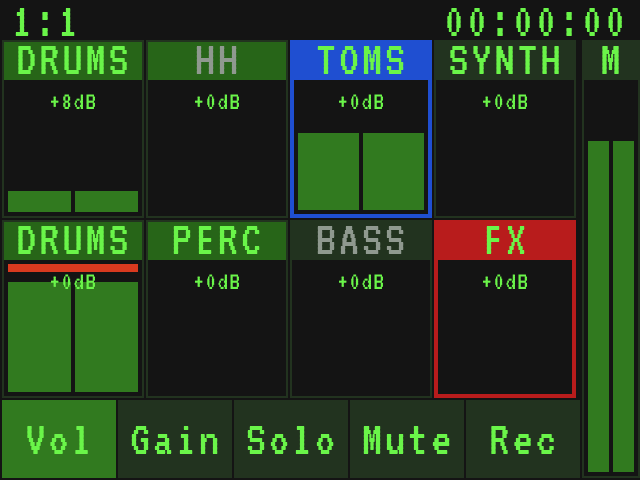
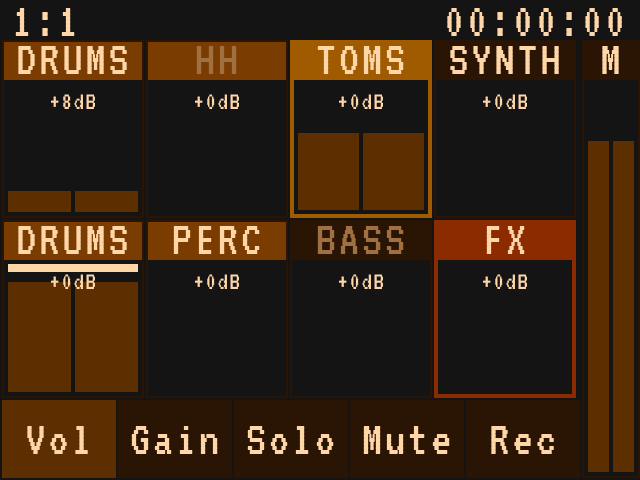
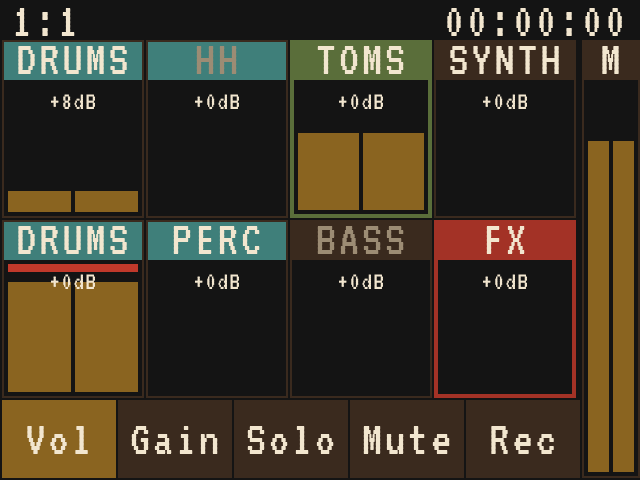
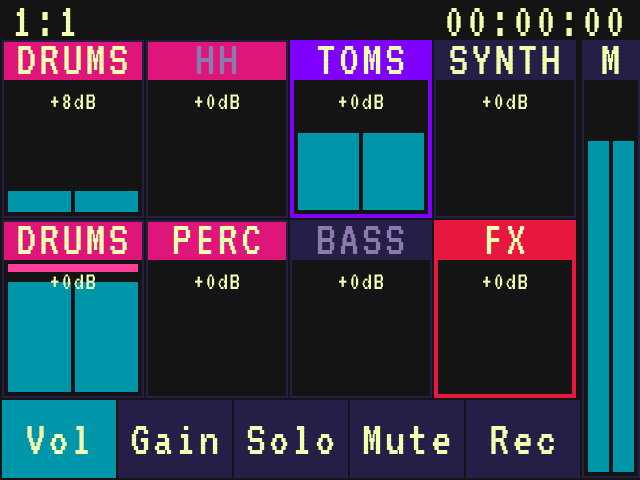
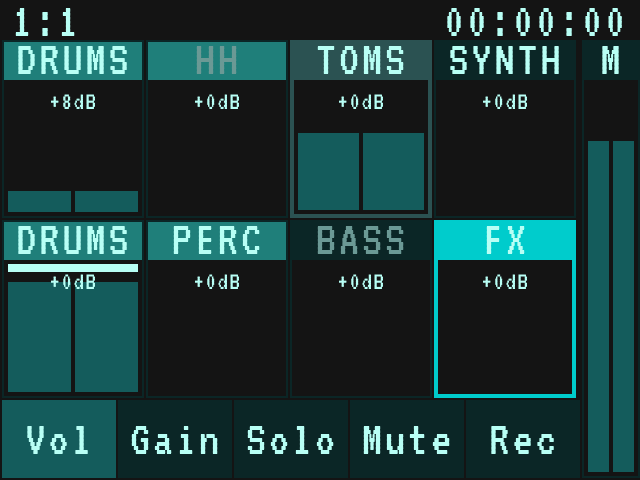
The computer screen is not the device
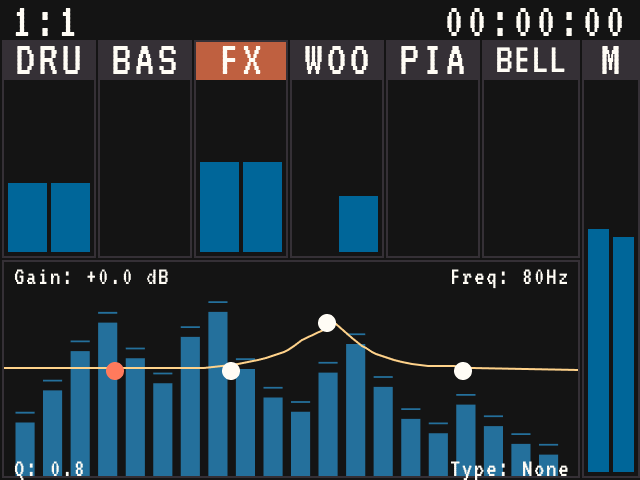
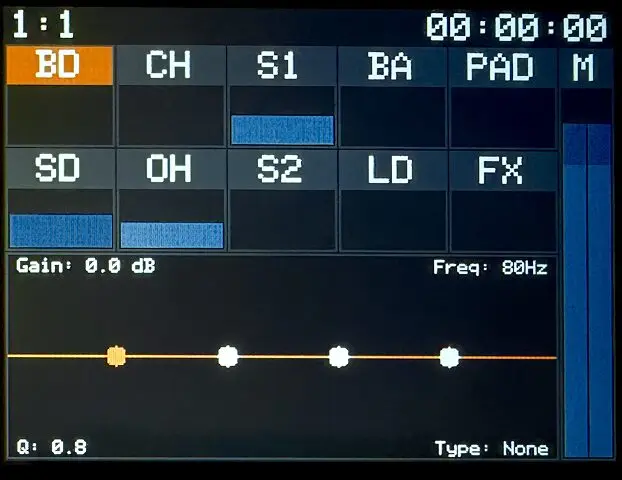
Colors on a computer screen do not always look the same on the Bluebox. I tested each theme on the hardware and adjusted it until it looked right there, not just in Figma.
What I learned
- Ask the maker first. They might already have an answer, or a reason.
- Start from the original BIN. Every time.
- Never assume a value is a color. Check it in the code.
- Test one slot at a time. Change two and you will not know which one did what.
- Make unassigned slots impossible to miss. Set them to harsh colors and see what lights up.
- Check on the hardware. Figma is not the device.
- Keep the stock firmware. It is your way back.
This is not for the faint of heart. It takes extreme attention to detail and a lot of rounds of flash, check, and fix.
There is a lot of AI slop out there. This is not that. With Claude reading decompiled code and keeping the details straight, I did something that would have been close to impossible for me alone.
If a screen is unreadable, you may not have to wait for the maker to fix it in some future update. Open it up and fix it yourself.
Downloads
I have tested these extensively on my own units, but you install and use them at your own risk. Keep the stock firmware from 1010music’s downloads page handy so you can flash back.
Each download is a zip with one theme for one platform. The file inside is always named BLUEBOX.BIN (desktop) or BLUEEURO.BIN (Eurorack), whatever the theme. Keep the zip name so you know which one you have. Install it the same way you would an official firmware update, using 1010music’s update instructions in their manual.
Installing a new official firmware replaces your theme, so after a 1010music update you will need a matching theme build.